Monsoon Tech Care 2026: How to Protect Your iPhone & MacBook from Water Damage in Bangalore

Protect your expensive devices from rain and moisture this monsoon season. Learn immediate rescue steps for wet iPhones and MacBooks, common water damage myths, and how iOne Care Technology recovers water-damaged gadgets in Bangalore.
Introduction: The Bangalore Monsoon Challenge
Bangalore's monsoon season brings a welcome relief from the heat, but for our smartphones and laptops, it poses a severe threat. High humidity, sudden downpours, and accidental drops into water puddles can instantly ruin devices worth thousands of rupees. At iOne Care Technology, water damage is the single most common emergency repair we handle from June to September.
When liquid meets live electrical circuits, every second counts. This guide details the science of liquid damage, debunks common myths (like the infamous rice trick), outlines immediate emergency steps, and explains how professional repairs can save your device.
1. How Water Damages Modern Electronics
Modern devices like the iPhone 17 and MacBook Pro are built with tight tolerances, but they are not fully waterproof—they are water-resistant. Over time, that resistance degrades, making them vulnerable.
- Short Circuits: Pure water doesn't conduct electricity well, but rainwater and tap water are full of dissolved minerals and salts. These minerals create conductive pathways that bridge electrical components, causing instant short circuits and burning out sensitive logic board chips.
- Corrosion: Even if a device survives the initial splash, remaining moisture triggers electrochemical corrosion. The metal contacts inside the device oxidize (rust) over hours and days, eventually breaking connections and killing the device.
- Liquid-Resistant Seal Degradation: The adhesive seals that give iPhones their IP68 water resistance break down due to heat, age, drops, and pocket wear. A two-year-old iPhone has significantly less water resistance than a brand-new one.
2. Emergency Rescue: What to Do in the First 10 Minutes
If your device gets wet, follow these steps immediately to maximize its chances of survival:
- Turn It Off Immediately: Do not check if the screen works. Powering down halts the flow of electricity, preventing major short circuits.
- Do Not Charge It: Plugging a wet phone or laptop into a charger introduces high voltage to a wet system, almost guaranteeing permanent logic board damage.
- Remove Cases and Accessories: Take off protective covers, cases, and unplug any cables. Wipe the exterior dry with a lint-free microfiber cloth.
- Position to Drain: For iPhones, tap the device gently against your hand with the charging port facing down to remove excess liquid. For MacBooks, place them in a tent position (inverted 'V') on a dry towel.
3. Debunking the Rice Myth: Why It Actually Harms Your Device
For years, the go-to advice for a wet phone was to submerge it in a bag of uncooked rice. However, Apple and professional technicians agree: do not put your iPhone in rice.
- Inefficient Desiccant: Rice does not absorb moisture quickly enough from the tightly sealed interior of a modern phone.
- Dust and Starch: Fine starch dust and rice particles enter the charging port, speaker grills, and headphone jacks. When mixed with water, this dust forms a sticky paste that hardens, traps moisture, and accelerates corrosion.
- False Sense of Security: Leaving your device in rice for 48 hours gives corrosion time to spread silently on the logic board before you finally turn it on.
4. Professional Water Damage Recovery Process
When a water-damaged device arrives at iOne Care Technology in Bangalore, our technicians follow a strict, scientific recovery protocol:
- Complete Disassembly: We fully open the device and disconnect the battery to completely cut off power.
- Ultrasonic Cleaning: The logic board is removed and placed in an ultrasonic cleaner filled with specialized anhydrous chemical solvents. This process uses high-frequency sound waves to blast away corrosion, mineral deposits, and moisture from underneath microchips.
- Dehydration & Baking: The board is dried in a temperature-controlled dehydration chamber.
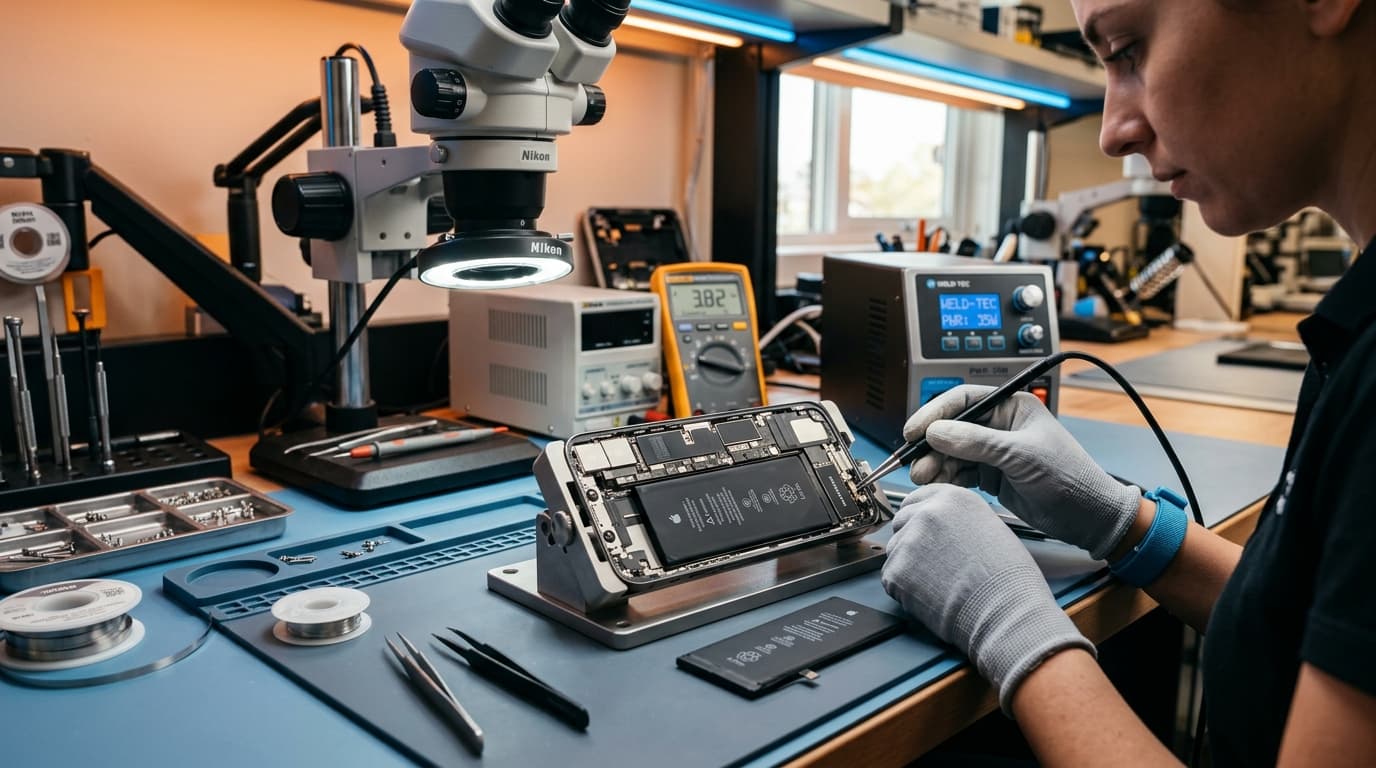
- Micro-Soldering Inspection: Using a high-powered microscope, technicians inspect the board for burnt capacitors, resistors, or corroded traces. Damaged micro-components are replaced using precision soldering tools.
5. Prevention: Protecting Your Tech During the Bangalore Monsoon
Avoid a costly repair by keeping these best practices in mind during the rainy season:
- Carry a Waterproof Pouch: Always keep a ziplock bag or a dedicated waterproof pouch in your backpack for sudden downpours.
- Avoid Gym/Jogging in Rain: Sweat and light drizzle can seep into buttons and ports. Use water-resistant wireless earbuds instead.
- Dry Bags: Ensure your laptop bag has a rain cover. Many water-damaged MacBooks we repair got wet simply from moisture soaking through backpack fabric.
Conclusion: Act Fast and Seek Professional Help
Water damage isn't a death sentence for your iPhone or MacBook, but it requires immediate, correct action. Turning a wet device back on or plugging it in is the main reason why potentially salvageable devices end up in the scrap heap. If your device has suffered liquid exposure this monsoon, don't wait for it to stop working.
Bring it to iOne Care Technology in Bangalore immediately. Our rapid disassembly, ultrasonic cleaning, and logic board repair services have a high success rate in recovering water-damaged devices. Contact us today or visit our service center for an immediate assessment.
Need Professional Repair?
If you're experiencing device issues, our certified technicians are here to help. Get fast, reliable repairs with genuine parts and thorough quality testing.