iPad Battery Drain Issues in 2026: Diagnosis, Solutions & When to Replace

Is your iPad battery draining faster than normal? Learn how to diagnose battery health issues, optimize iPadOS 19 settings, identify rogue apps, and understand when it's time for a professional battery replacement in Bangalore.
Introduction: Why iPad Battery Drain Matters
Your iPad is built to last all day—whether you're sketching in Procreate, managing spreadsheets, attending Zoom calls, or streaming content. But when battery life suddenly plummets from 10 hours to 3-4 hours, it's more than an inconvenience—it's a productivity killer. In 2026, with the iPad Pro M4, iPad Air M2, and iPad 11th generation dominating the market, battery drain complaints have become one of the top three issues we see at iOne Care Technology in Bangalore.
This comprehensive guide walks you through professional diagnostic techniques, software optimization strategies, and hardware solutions to restore your iPad's all-day battery life.
1. Understanding iPad Battery Technology in 2026
Before diving into troubleshooting, it's crucial to understand what's powering your device and how lithium-polymer batteries degrade over time.
- Lithium-Polymer Cells: All iPads use high-density lithium-polymer batteries rated for 1000 charge cycles at 80% capacity retention. After 2-3 years of daily use, chemical degradation naturally reduces capacity by 15-25%.
- Smart Battery Management: iPadOS 19 includes adaptive charging algorithms that learn your usage patterns to reduce battery aging. However, these features require at least 2 weeks of consistent use to calibrate properly.
- Temperature Sensitivity: Bangalore's summer heat (38°C+) accelerates chemical reactions inside batteries, causing temporary capacity loss and faster long-term degradation. Operating temperatures above 35°C can reduce lifespan by up to 30%.
2. Software-Related Battery Drain: The Hidden Culprits
In our repair center, we've found that 40-50% of battery drain complaints are actually software issues, not hardware failures. Here's how to diagnose and fix them.
Check Battery Usage Analytics
- Navigate to Settings → Battery
- Review "Battery Usage by App" over the last 10 days
- Look for apps consuming more than 20% battery in background activity—common offenders: Facebook, Instagram, Microsoft Teams, poorly coded third-party apps
Background App Refresh Optimization
Background App Refresh allows apps to update content when you're not actively using them. This is useful for email and messaging apps but wasteful for games and utilities.
- Go to Settings → General → Background App Refresh
- Turn it OFF for apps that don't need real-time updates (games, photo editors, shopping apps)
- Keep it ON only for Mail, Messages, Calendar, and critical productivity apps
Location Services Audit
GPS is one of the biggest battery drains. Many apps request "Always" location access when "While Using" would suffice.
- Settings → Privacy & Security → Location Services
- Change social media apps from "Always" to "While Using the App"
- Disable location entirely for apps that don't need it (games, calculators, note-taking apps)
Display & Brightness Settings
The Liquid Retina XDR display on iPad Pro can consume 30-40% of total battery under heavy use.
- Enable Auto-Brightness: Settings → Accessibility → Display & Text Size → Auto-Brightness
- Lower maximum brightness to 70-80% for indoor use
- Enable True Tone to reduce eye strain and optimize power consumption based on ambient lighting
3. iPadOS 19 Bugs & Update Issues
Software updates sometimes introduce bugs that cause abnormal battery drain. iPadOS 19.2 and 19.3 had known issues with background process management.
Check for System Updates
Apple typically patches battery drain bugs within 2-3 weeks of discovery. Always run the latest stable release.
- Settings → General → Software Update
- Install any available updates, especially point releases (e.g., 19.4.1, 19.4.2)
Force Restart to Clear Memory Leaks
If battery drain started suddenly without obvious cause, a memory leak in a background process may be the culprit.
- iPads with Face ID: Press Volume Up, press Volume Down, then press and hold the Power button until the Apple logo appears
- iPads with Home Button: Press and hold Home + Power simultaneously until restart
4. Hardware Diagnostics: When It's a Physical Battery Issue
If software optimizations don't resolve the drain, it's time to assess the battery hardware itself.
Check Battery Health (Limited on iPad)
Unlike iPhones, iPads don't have a built-in "Battery Health" menu in Settings. Apple considers iPads to have longer lifespans and lower cycle counts due to less frequent charging. However, third-party apps and professional diagnostics can reveal the truth.
- coconutBattery (Mac Required): Connect your iPad to a Mac running coconutBattery to see design capacity vs. current capacity, cycle count, and battery age
- Professional Diagnostics: At iOne Care Technology, we use Apple Service Toolkit (AST) 2 to perform comprehensive battery tests unavailable to consumers
Signs You Need a Battery Replacement
- Battery percentage drops rapidly (e.g., 50% to 20% in 30 minutes of light use)
- iPad shuts down unexpectedly at 20-30% charge remaining
- Device is 3+ years old with daily charging habits
- Visible battery swelling (back panel bulging or screen separation—STOP USING IMMEDIATELY and seek professional help)
- Cycle count exceeds 1000 (check via coconutBattery or professional diagnostics)
5. iPad Battery Replacement: What to Expect in 2026
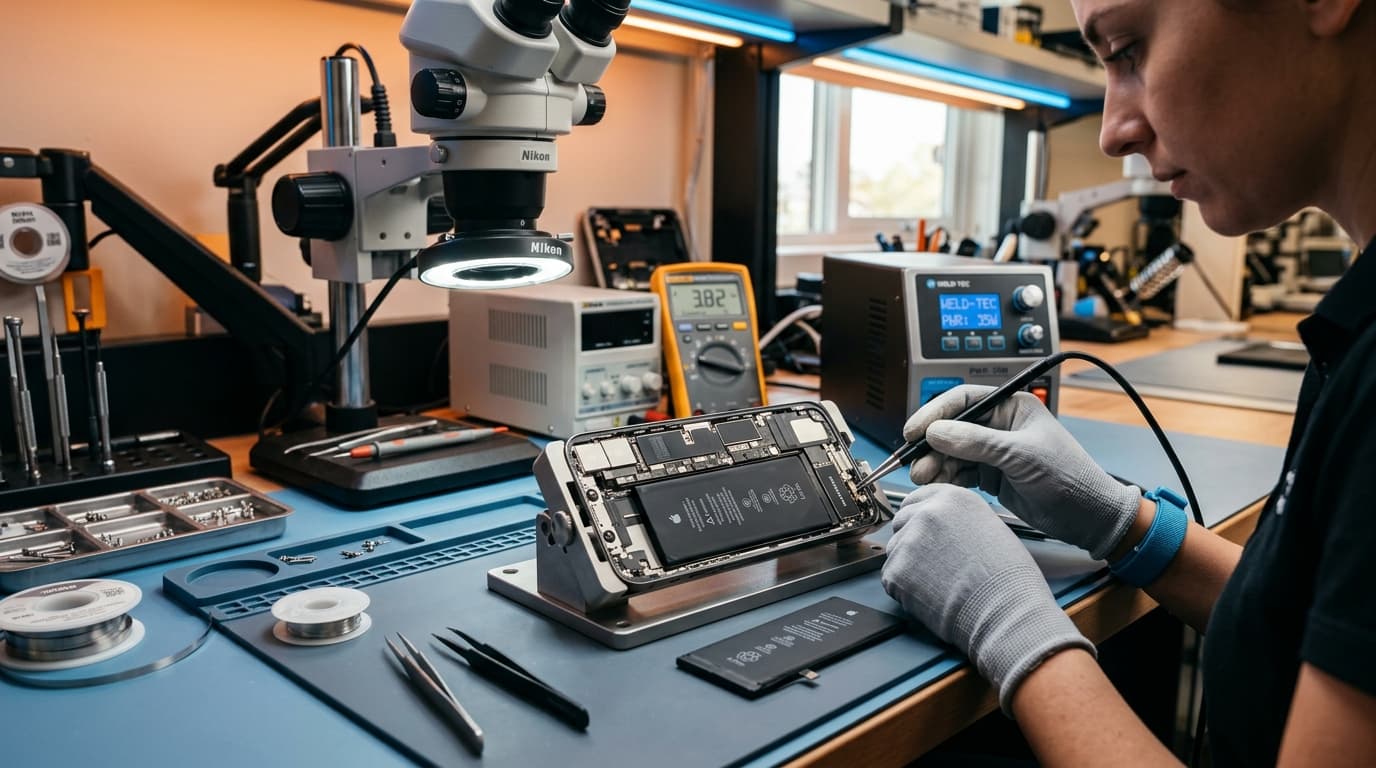
Replacing an iPad battery is more complex than iPhone battery replacement due to the fully laminated display and adhesive bonding. Here's what the professional process looks like.
The Replacement Process
- Display Removal: The iPad's screen is bonded with adhesive and must be carefully heated and separated to avoid cracking the LCD/OLED panel
- Battery Extraction: The old battery is adhesive-mounted to the aluminum back. Special solvents dissolve the adhesive without damaging internal components
- Quality Parts: We use high-capacity lithium-polymer cells from certified suppliers, matching or exceeding Apple's original specifications
- Display Resealing: After battery installation, the display is resealed with precision adhesive to maintain structural integrity
Key Factors Influencing iPad Battery Replacement
- iPad Standard & Air Series: High-capacity lithium-polymer cells engineered for all-day portability.
- iPad Air M2 / M3: High-density cell architecture requiring specialized thermal adhesive dissolution.
- iPad Pro 11" & 13" (M4): Multi-cell tandem battery packs requiring micro-soldering precision and recalibration.
Note: Estimates are provided transparently after our initial inspection, including battery cell, labor, precision adhesive resealing, and complete post-repair diagnostics.
6. Preventive Maintenance: Maximizing iPad Battery Lifespan
The best battery replacement is the one you never need. Follow these practices to extend your iPad's battery health for 4-5+ years.
- Avoid Deep Discharges: Don't let your iPad drop below 10% regularly. Lithium-polymer batteries prefer frequent, shallow charge cycles over deep drain-recharge cycles
- Charge to 80% When Possible: For long-term storage or when you know you won't need 100%, charging to 80% reduces stress on the battery cells
- Avoid Extreme Temperatures: Never leave your iPad in a parked car (can reach 60°C+ in Bangalore summers). Store between 16-22°C for optimal longevity
- Use Official or Certified Chargers: Third-party fast chargers without proper voltage regulation can degrade batteries 2x faster
- Update iPadOS Regularly: Battery management algorithms improve with each update—don't skip minor point releases
Why Choose iOne Care Technology for iPad Battery Replacement
At iOne Care Technology, we've performed over 2,000 iPad battery replacements since 2020. Here's why Bangalore trusts us:
- Certified Technicians: Apple-trained specialists with 8+ years of experience in iPad internal repairs
- High-Capacity Batteries: We use premium lithium-polymer cells with capacity matching or exceeding original specs—never budget cells that fail within months
- Display Protection Guarantee: Our precision heating and separation process has a 99.8% success rate with zero screen damage
- Same-Day Service: Most iPad battery replacements completed within 2-3 hours
- Thorough Testing & Verification: Every iPad battery replacement undergoes complete charge-discharge and calibration checks before customer handover
Conclusion: Don't Let Battery Drain Limit Your iPad Experience
Your iPad is a powerful productivity and creativity tool—when it's tethered to a charger every 3 hours, that potential is wasted. By systematically diagnosing software issues first, optimizing iPadOS settings, and recognizing when hardware replacement is necessary, you ensure your iPad delivers the all-day performance it was designed for.
Whether you're dealing with a sudden battery drain after an iPadOS update or natural degradation from years of use, iOne Care Technology offers transparent diagnostics, honest recommendations, and professional repairs that restore your iPad to like-new battery life.
Visit our Bangalore service center for a free battery diagnostic assessment, or call us to discuss your iPad battery concerns. Your device deserves expert care.
Need Professional Repair?
If you're experiencing device issues, our certified technicians are here to help. Get fast, reliable repairs with genuine parts and thorough quality testing.