Android Flagship Repair Guide 2026: Fixing Green Line Displays, Battery Drain & Board Issues

Facing green lines on your Samsung Galaxy, OnePlus, or Google Pixel after a software update? Discover what causes OLED display line defects, rapid battery drain, and motherboard overheating in 2026, plus expert repair solutions in Bangalore.
Introduction: The State of Android Flagship Repairs in 2026
Android flagships in 2026—including the Samsung Galaxy S24/S25/S26 series, OnePlus 12/13/14, and Google Pixel 9/10—deliver cutting-edge features such as 120Hz LTPO 4.0 AMOLED panels, 100W SuperVOOC / PD charging, and advanced on-device AI engines. However, as these devices push performance boundaries in Bangalore's tropical climate, users face distinct hardware challenges: sudden vertical green lines appearing on OLED screens post-update, thermal throttling under heavy 5G/AI loads, and battery capacity degradation within 18–24 months.
At iOne Care Technology in Bangalore, our lab diagnoses and repairs hundreds of Android flagships monthly. Whether you are dealing with screen artifacts, rapid power drain, or a phone stuck in a boot loop, this comprehensive guide outlines the root causes, DIY verification steps, and expert repair options available to get your device back to peak condition.
1. The Infamous OLED "Green Line" Phenomenon: Science & Solutions
One of the most widespread issues reported by Samsung, OnePlus, and Pixel users in 2025–2026 is the sudden appearance of permanent vertical green, pink, or white lines running down the screen—frequently immediately after installing an OS or security update.
Why Does an Update Cause a Hardware Line Defect?
It is a common misconception that the software update itself corrupts the display driver software. In reality, the root cause is thermal stress during installation:
- Thermal Expansion at COF (Chip on Film): System updates cause the CPU and GPU to execute sustained high-power tasks, generating intense internal heat (often exceeding 50°C). This heat expands the delicate adhesive bonding the Display Driver IC flex ribbon to the AMOLED substrate.
- Microscopic Trace Fractures: Thermal expansion causes micro-fractures in the ITO (Indium Tin Oxide) voltage traces supplying electrical signals to the subpixels. When a trace for green subpixels shorts or loses grounding, an entire column of green subpixels latches onto maximum voltage, creating the vertical green line.
Repair Options: Screen Replacement vs Laser Bonding
- OEM Screen Replacement: The guaranteed permanent solution. At iOne Care Technology, we fit 100% original Samsung Service Pack, OnePlus, and Pixel AMOLED assemblies complete with fresh frame bezels and IP68 seals.
- Laser Flex Repair: Specialized laser machinery can re-weld broken flex traces on select panels. However, success rates vary depending on panel architecture, making full screen replacement the most reliable choice.
2. Android Battery Drain & Thermal Throttling in 2026
Modern Android batteries endure demanding workloads. Between 120Hz dynamic refresh rates, high-wattage fast charging, and persistent background AI syncing, battery health drops rapidly after 500–800 charge cycles.
How to Diagnose Battery Health on Android
Unlike iOS, Android does not display a simple battery health percentage out of the box. Use these methods to assess your battery condition:
- Dialer Diagnostic Codes: Open your phone dialer and enter
*#*#4636#*#*(or*#0228#on Samsung) to access hidden battery status and voltage stats. - AccuBattery / Ampere Diagnostics: Install AccuBattery from the Play Store and log 3 full charge cycles to calculate actual vs design battery capacity in mAh.
- Physical Swelling Warning: If your back panel is lifting away from the frame or your display feels spongy near the center, the battery has gas-swollen. Discontinue charging immediately and bring it to a technician to avoid chemical hazards.
3. Motherboard & CPU Reballing: Fixing Boot Loops & Sudden Shutdowns
High-end Android phones utilize stacked double-decker logic boards joined by micro-solder balls. Over time, physical drops or thermal expansion cycles can crack the solder joints under the CPU or RAM, causing:
- Stuck on Manufacturer Logo (Bootloop): The phone powers on but cannot load the OS kernel due to broken RAM data lines.
- Camera or Wi-Fi Unresponsive: Specific power rails on the motherboard fail, disabling hardware controllers.
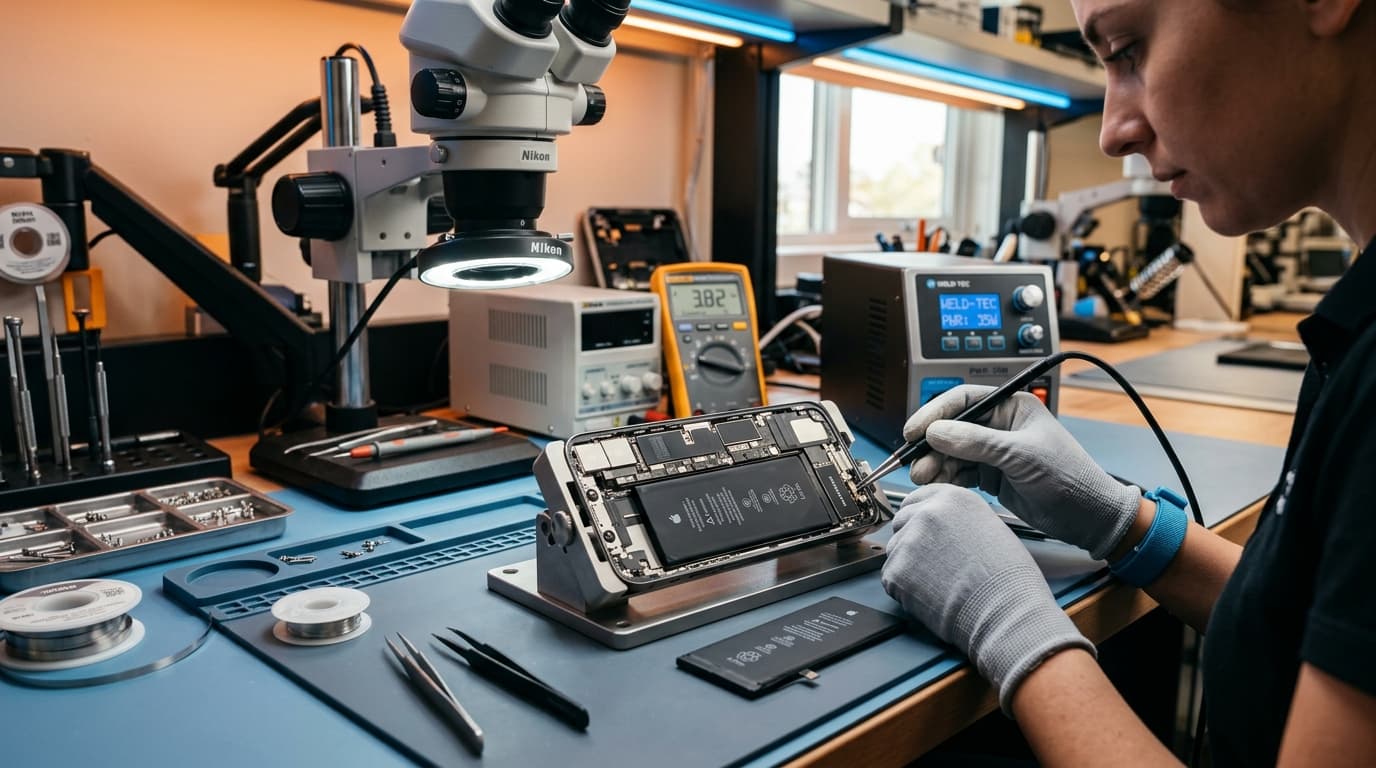
At iOne Care Technology, our senior engineers perform micro-soldering and CPU reballing (removing, re-aligning, and resoldering microchips under HD microscopes) to restore dead motherboards without data loss.
4. Professional Android Repair Workflow & Standards
When getting an Android flagship repaired in Bangalore, understanding component quality and repair standards ensures your device receives optimal care:
- Original Service Pack Display Assemblies: Original Samsung, OnePlus, and Pixel AMOLED panels complete with factory frame bezels and fresh IP68 water-resistant seals to preserve structural integrity.
- Certified High-Capacity Battery Replacement: Fresh, safety-tested lithium-polymer cells calibrated for fast charging protocols (SuperVOOC, USB-PD 3.0) without triggering thermal throttles.
- Modular Daughterboard Replacement: Replacing degraded USB-C daughterboards with original IC components to preserve fast-charging currents and microphone clarity.
- On-the-Spot Testing & No-Data-Wipe Assurance: All component replacements are fully verified with the customer upon handover and performed without resetting your operating system or erasing user data.
5. Preventive Maintenance Tips for Android Devices
- Cool Down During System Updates: Remove heavy protective cases and place your phone on a cool, flat surface (away from sunlight) when downloading and installing major OS updates.
- Enable 80% Protect Battery: Turn on "Protect Battery" or "Adaptive Charging" in Android settings to stop charging at 80% overnight.
- Avoid Gaming While Fast-Charging: Simultaneous 80W+ fast charging and heavy GPU usage creates extreme thermal spikes that degrade battery health and display adhesives.
Why Choose iOne Care Technology for Android Repairs in Bangalore
While known for Apple repairs, iOne Care Technology is equally equipped with state-of-the-art diagnostic gear for Android flagships across Bangalore:
- Doorstep & Express In-Store Repair: Doorstep repairs across Indiranagar, Koramangala, Whitefield, HSR Layout, and BTM Layout within 45 to 60 minutes.
- Original Service Pack Screens: We use genuine Samsung, OnePlus, and Pixel display units for 100% color accuracy and 120Hz ProMotion smoothness.
- Data Security & No Wipe Policy: We prioritize hardware-level fixes so your photos, messages, and banking apps stay intact.
- On-the-Spot Verification: Comprehensive inspection of touch response, display uniformity, and fast-charging before handover.
Facing a green line or battery issue on your Android phone? Contact iOne Care Technology today for a free diagnostic assessment or doorstep appointment!
Need Professional Repair?
If you're experiencing device issues, our certified technicians are here to help. Get fast, reliable repairs with genuine parts and thorough quality testing.